“I am tired of opening different apps for the event… But I already downloaded Canvas.”
— User feedback
The Outcome
“Integrating into Canvas is so much easier than a new app. Everything in one place.”
Shipped: personalized recommendations in Canvas
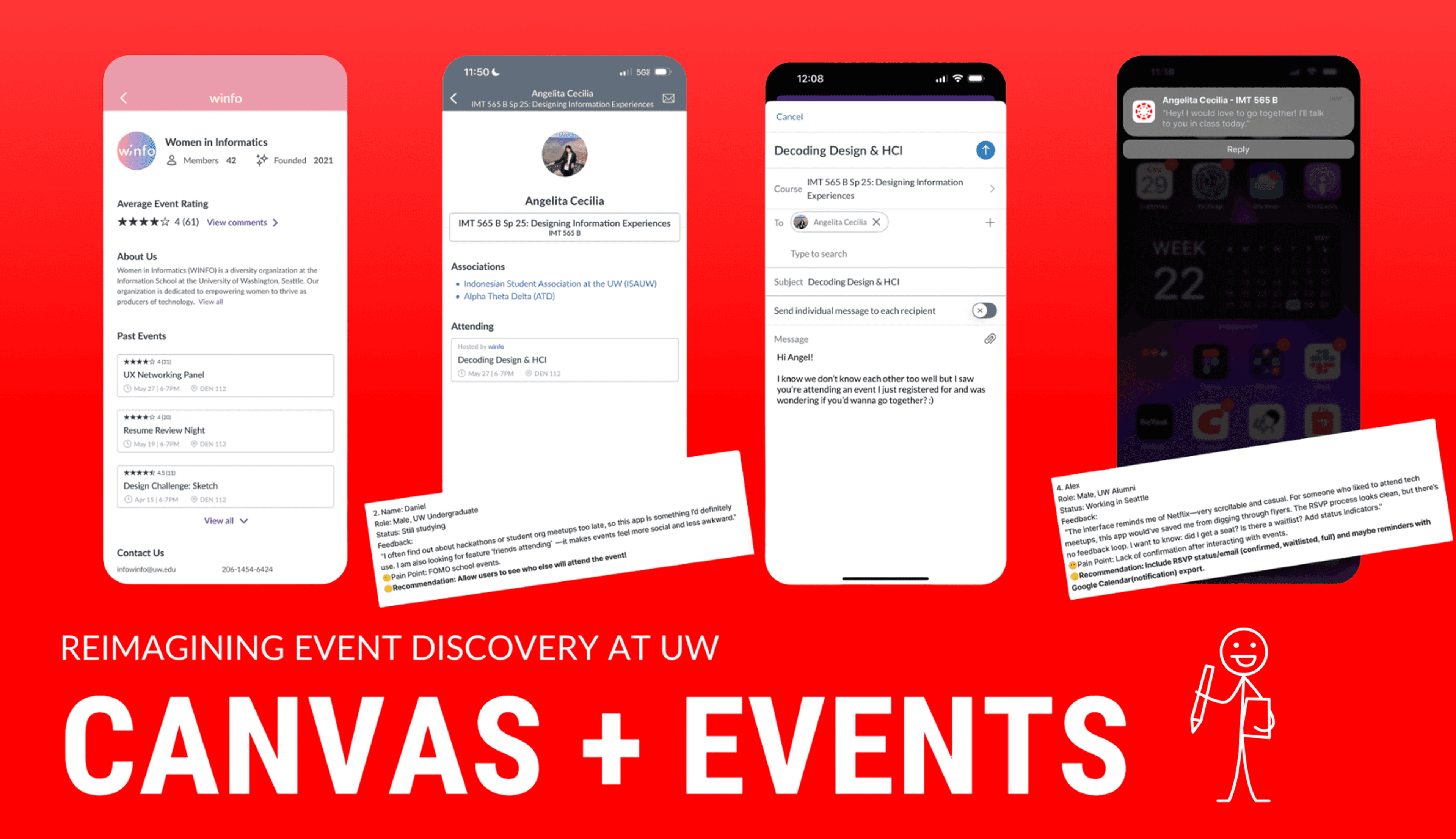
Canvas + Events — a discovery layer inside the tool every UW student already opens daily.
Phase 01
Where the problem actually lives. Talking to students, mapping what already exists.
UX Researcher & Designer
University of Washington
8 Weeks, Spring 2025
Figma, Miro, Canvas LMS
Angelita Cecilia Anupam Sanidhya Gillian Soekawan Jiawen Hu
BACKGROUND
At UW, campus events are one of the most meaningful ways students build community. Yet discovering them remains scattered across Instagram, emails, flyers, and word of mouth.
DISCOVERY : INTERVIEWS
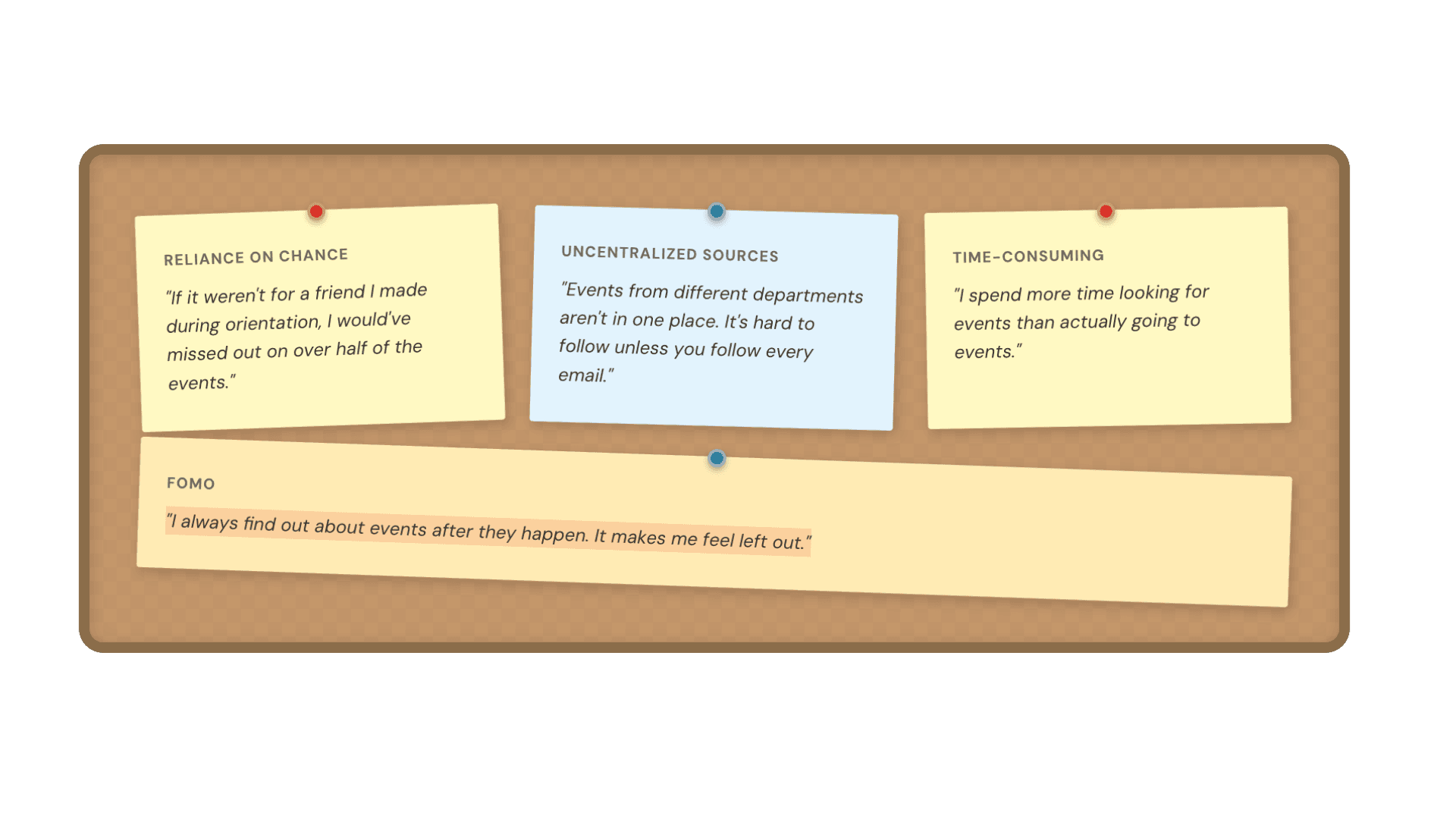
Through interviews with UW students, we uncovered consistent patterns of fragmented discovery.
INSPIRATION
COMPETITIVE ANALYSIS
Luma
Partiful
Eventbrite
Canvas + Events
Phase 02
Turning scattered signals into one sharp problem worth solving.
THE PROBLEM
Through interviews with UW students, we uncovered a consistent pattern: event discovery was left almost entirely to chance, and the emotional cost of missing out was real.
LATE-NIGHT SCROLLING
“Whoa… this event looks so fun! How did I miss this?”
THE DM
“Hey! Where was this? I never heard about it…”
FEELING LEFT OUT
“Everyone went but me. I always find out too late.”
“How might we craft a more cohesive and intentional campus event discovery experience that helps students feel connected, informed, and socially engaged?”
The question that guided our design
PERSONAS
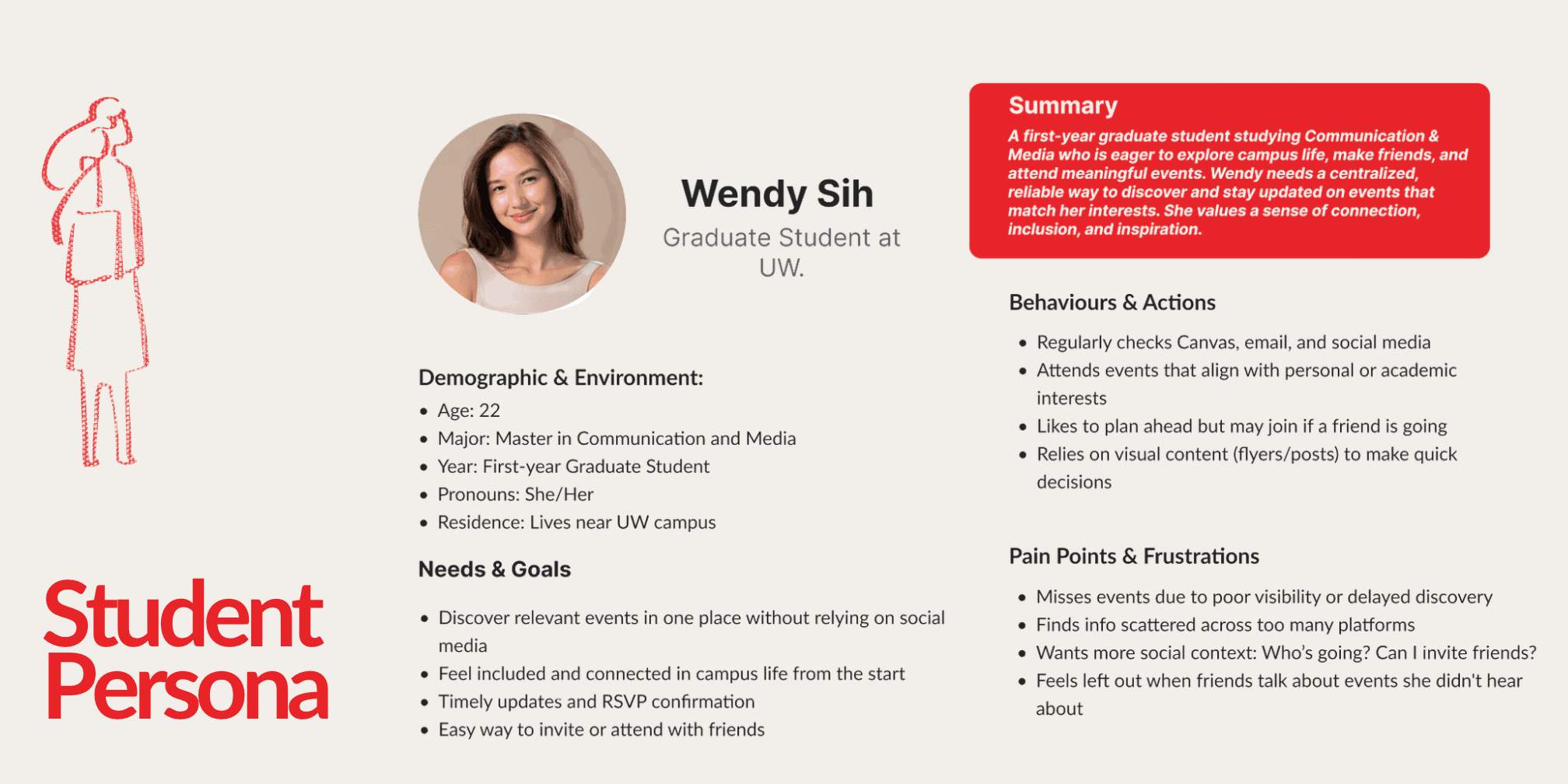
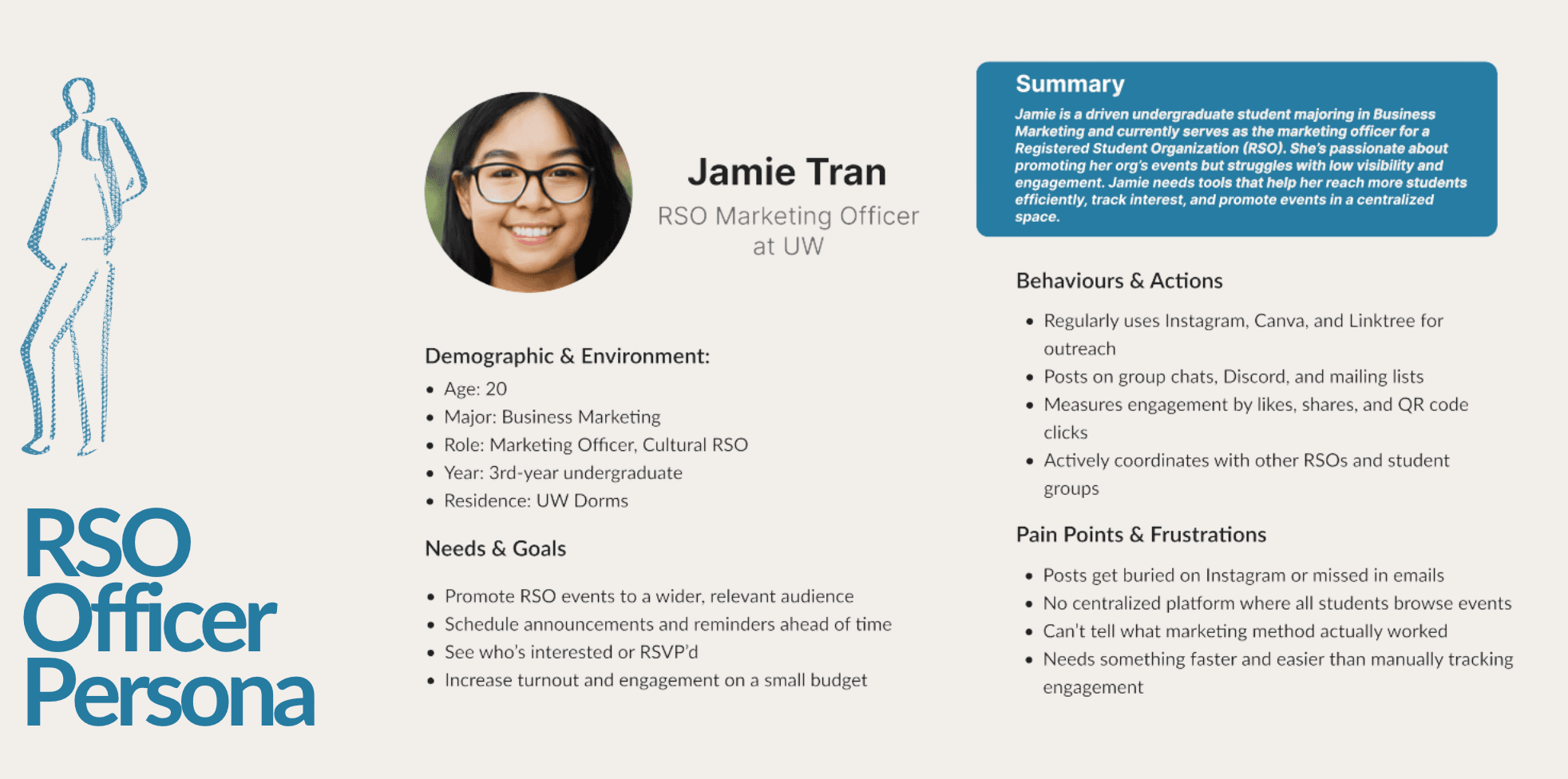
These personas capture the different goals, habits, and frustrations of students and RSO organizers at UW.
DESIGN STRATEGY
Kahneman’s System 1 & 2 model frames both fast discovery and deliberate commitment.
First impression → visual posters, interest tags. 91% of decisions in < 1 second.
Deeper info → RSVP, time, who's going. Social cues = more motivation.
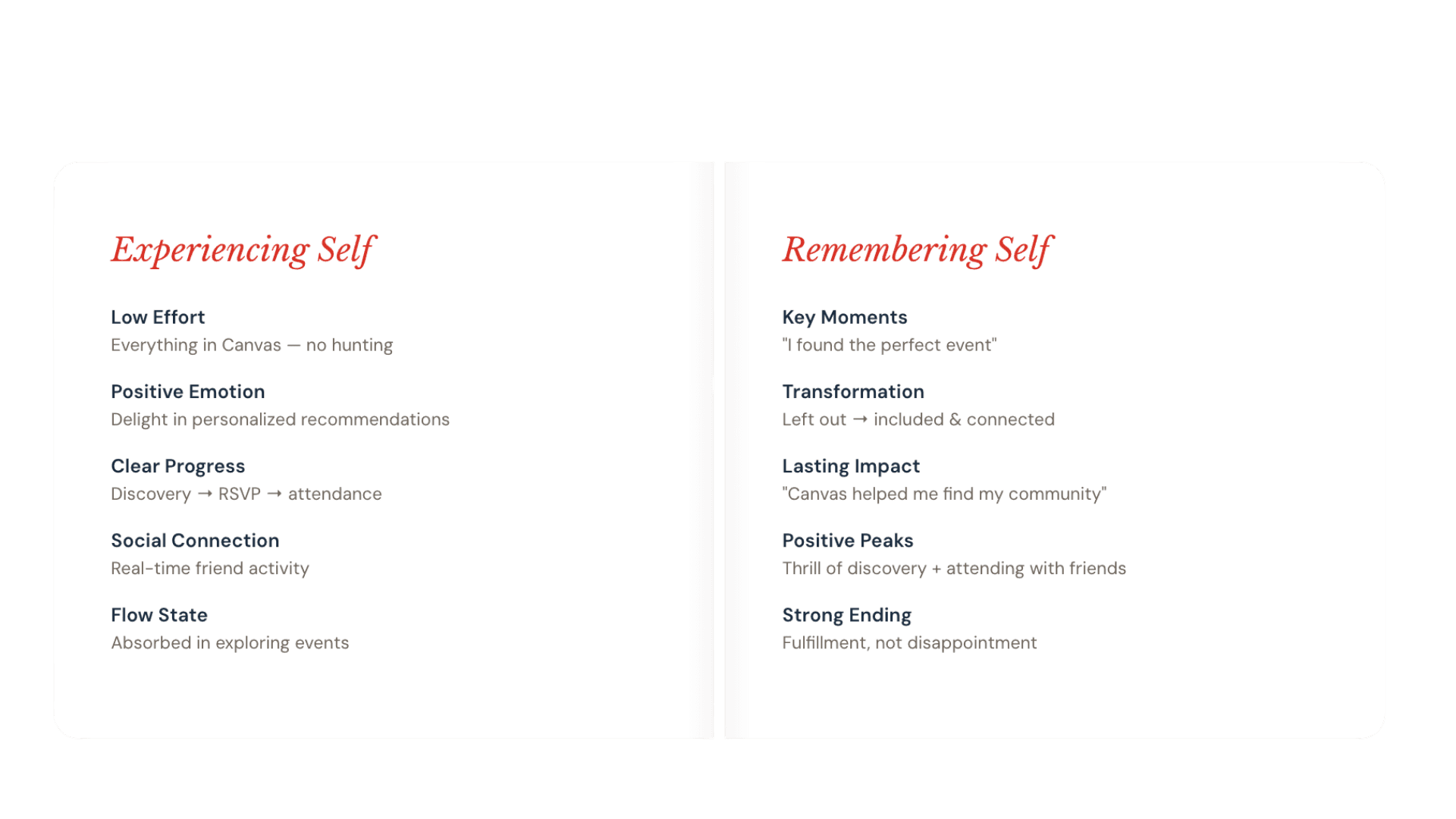
EXPERIENCE FRAMEWORK
Low Effort
Everything in Canvas — no hunting
Positive Emotion
Delight in personalized recommendations
Clear Progress
Discovery → RSVP → attendance
Social Connection
Real-time friend activity
Flow State
Absorbed in exploring events
Key Moments
“I found the perfect event”
Transformation
Left out → included & connected
Lasting Impact
“Canvas helped me find my community”
Positive Peaks
Thrill of discovery + attending with friends
Strong Ending
Fulfillment, not disappointment
Phase 03
From framework to pixels: the decisions that shaped Canvas + Events.
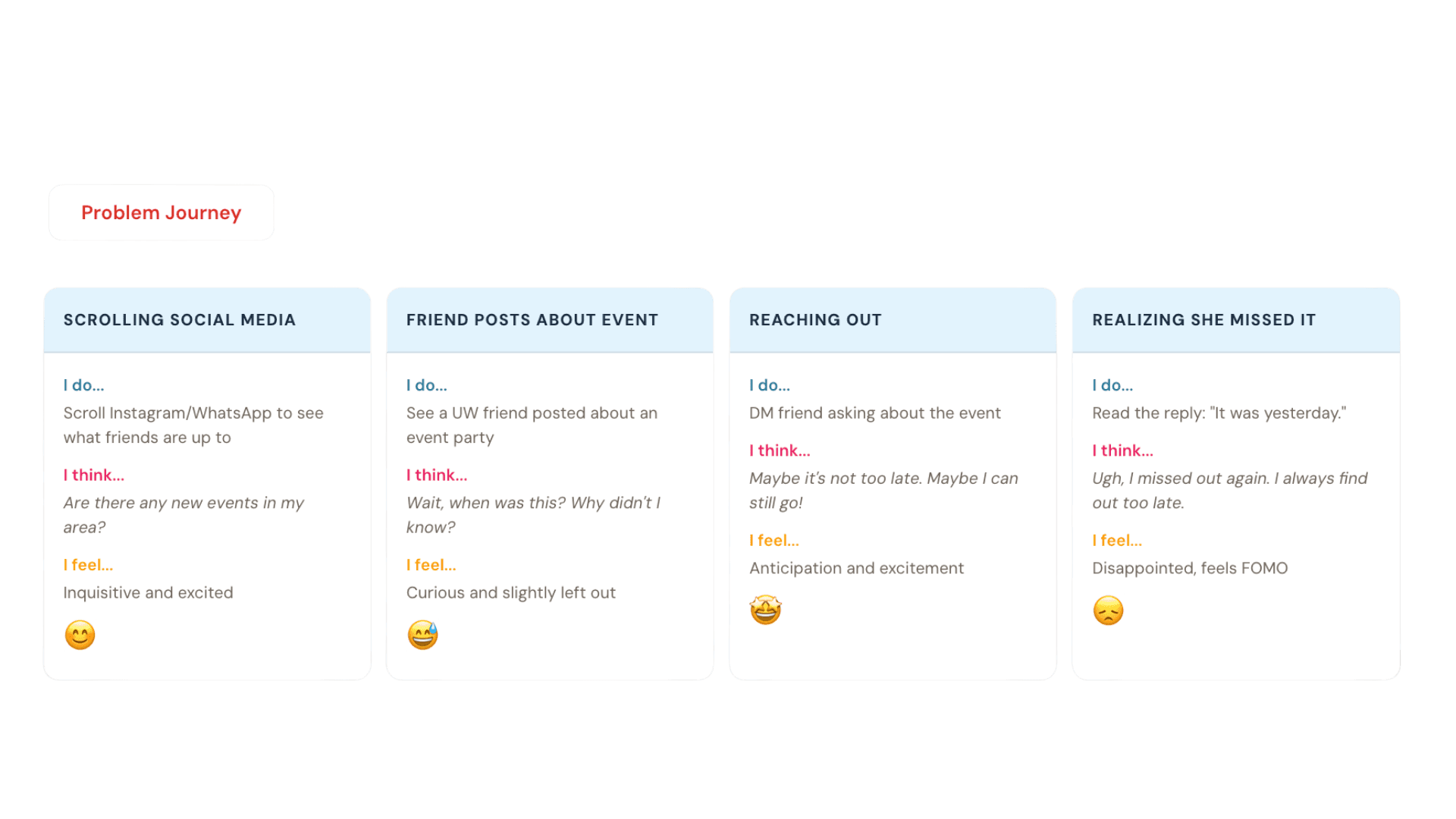
USER JOURNEY
I do…
Scroll Instagram/WhatsApp to see what friends are up to
I think…
Are there any new events in my area?
I feel…
Inquisitive and excited
I do…
See a UW friend posted about an event party
I think…
Wait, when was this? Why didn't I know?
I feel…
Curious and slightly left out
I do…
DM friend asking about the event
I think…
Maybe it's not too late. Maybe I can still go!
I feel…
Anticipation and excitement
I do…
Read the reply: "It was yesterday."
I think…
Ugh, I missed out again. I always find out too late.
I feel…
Disappointed, feels FOMO
DESIGN PROCESS
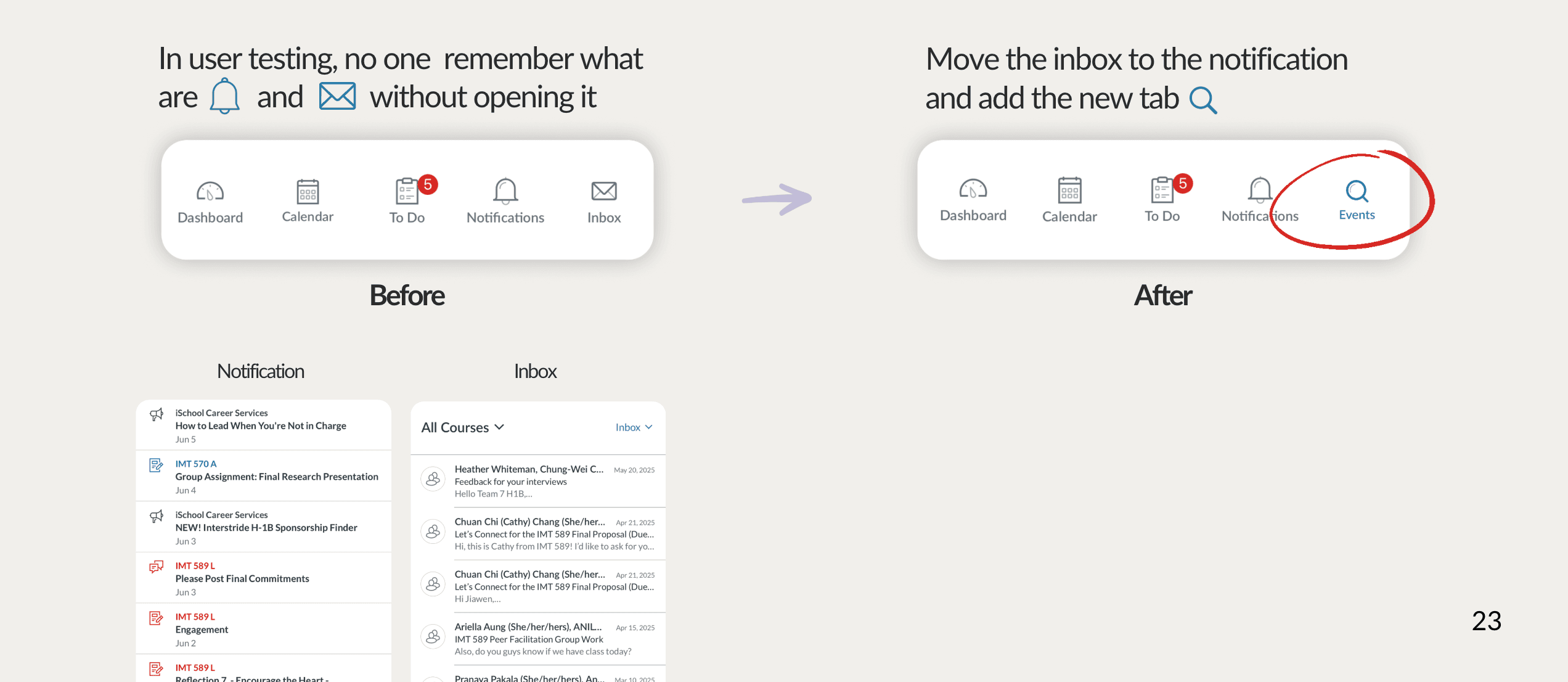
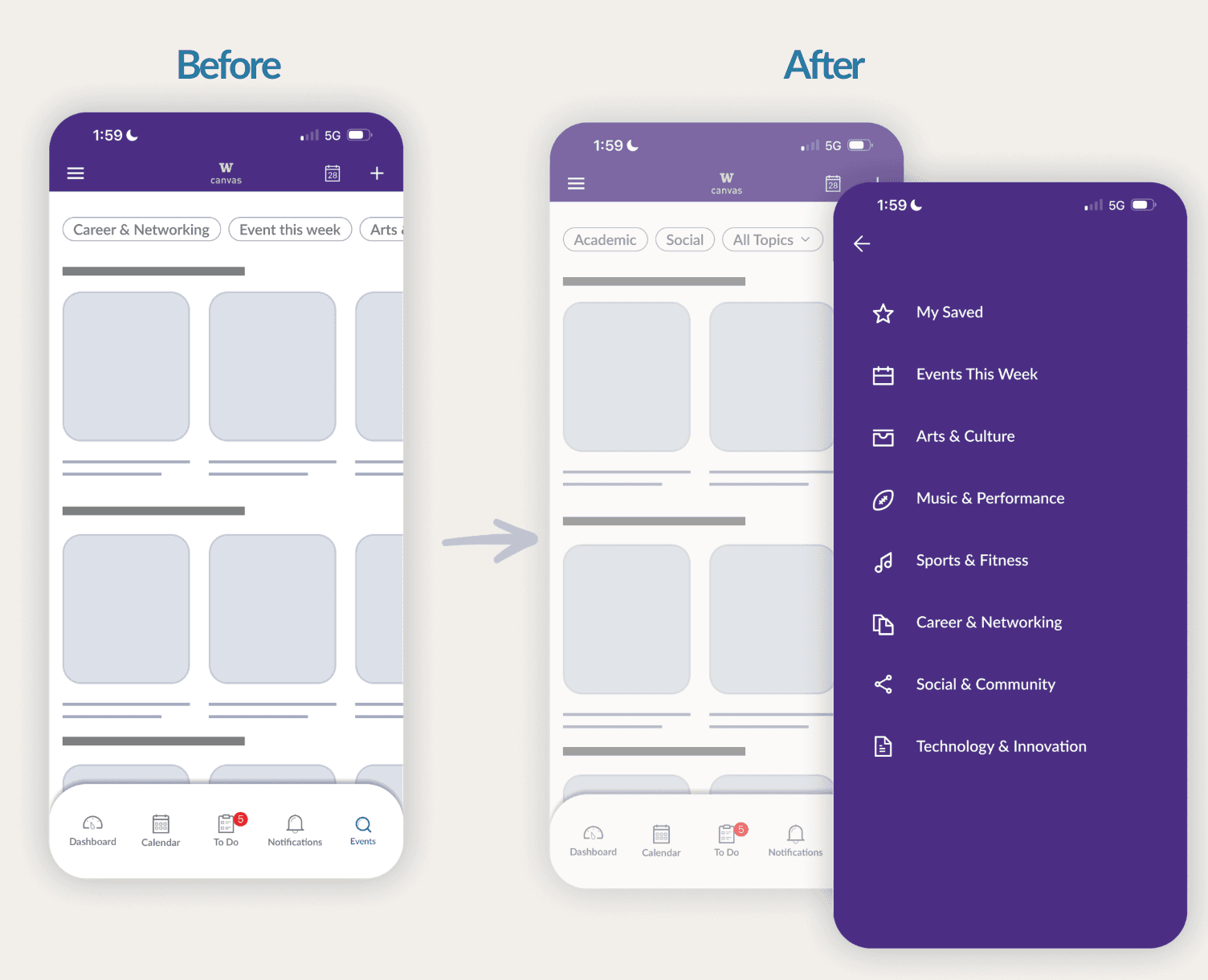
User feedback revealed confusion around existing navigation labels, leading us to simplify the structure and make the Events tab easier to find.
01
User feedback revealed confusion around existing navigation labels. We simplified the structure and made the Events tab easier to find from anywhere in Canvas.
02
Once students could reach Events in one tap, the next problem was the page itself — dense, hard to scan, with no sense of what was happening this week. We rebuilt it around feeds, time, and visual rhythm.
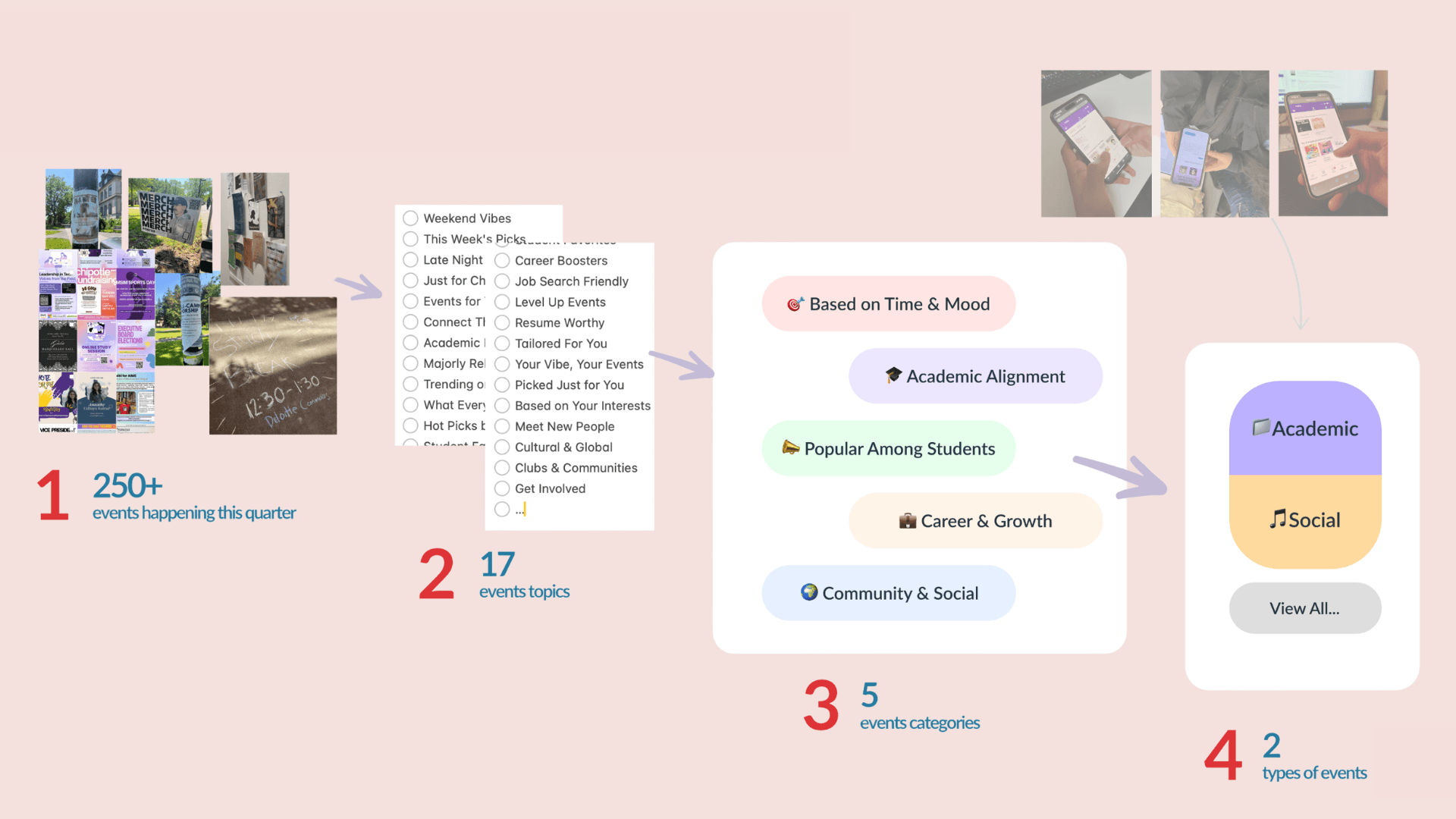
03
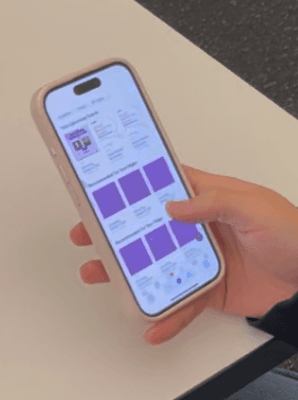
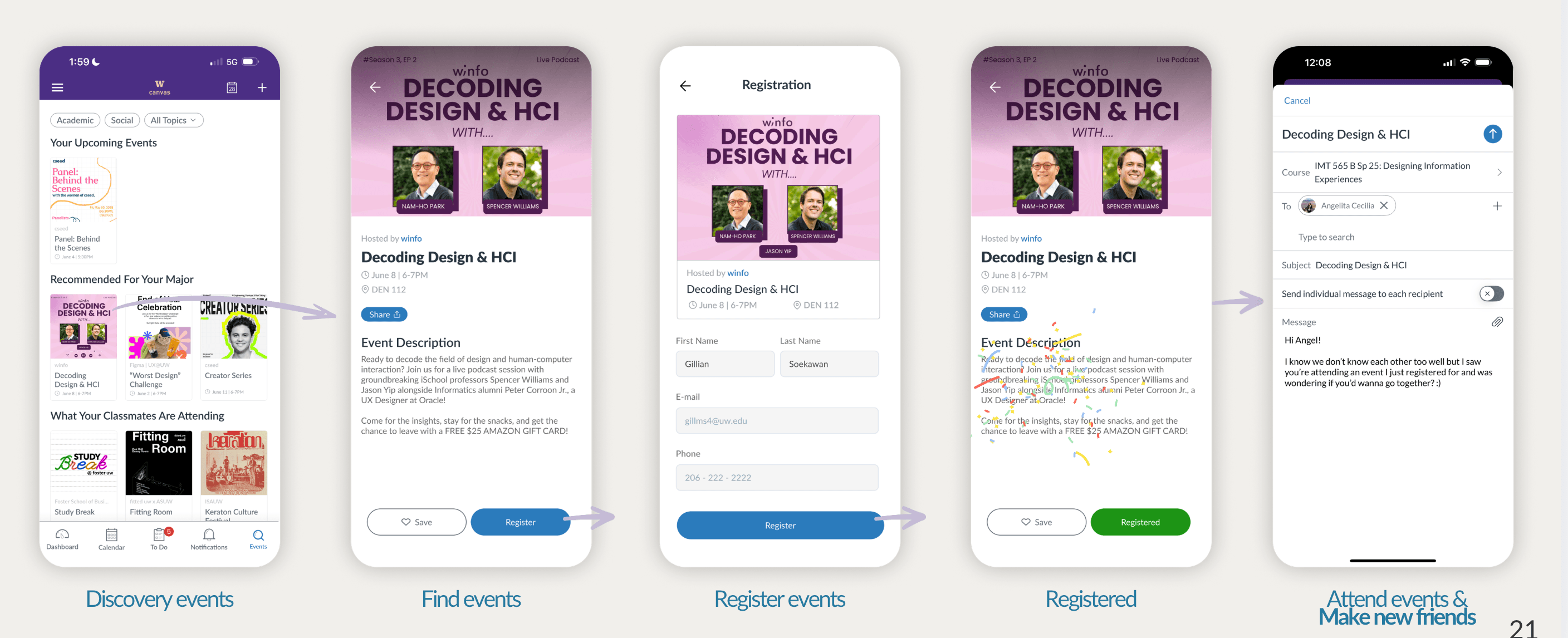
Finally, recommendations are generated for you — based on courses you're enrolled in, RSOs you follow, and filters you set. Less noise, more signal.
Personalized event recommendation with filter
Generated and recommended for you only
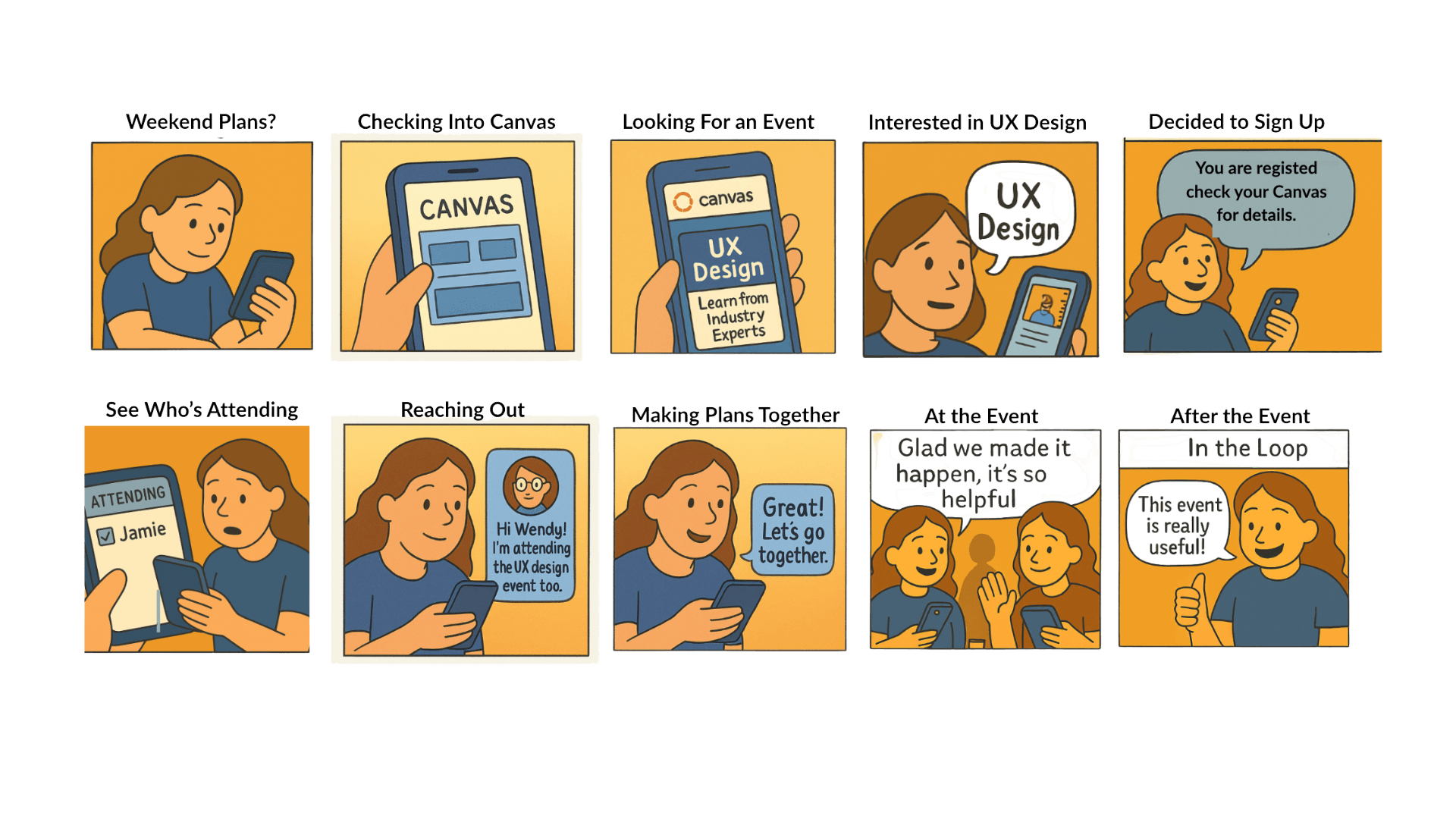
The three iterations above add up to one continuous flow, from discovering an event to showing up and meeting people.
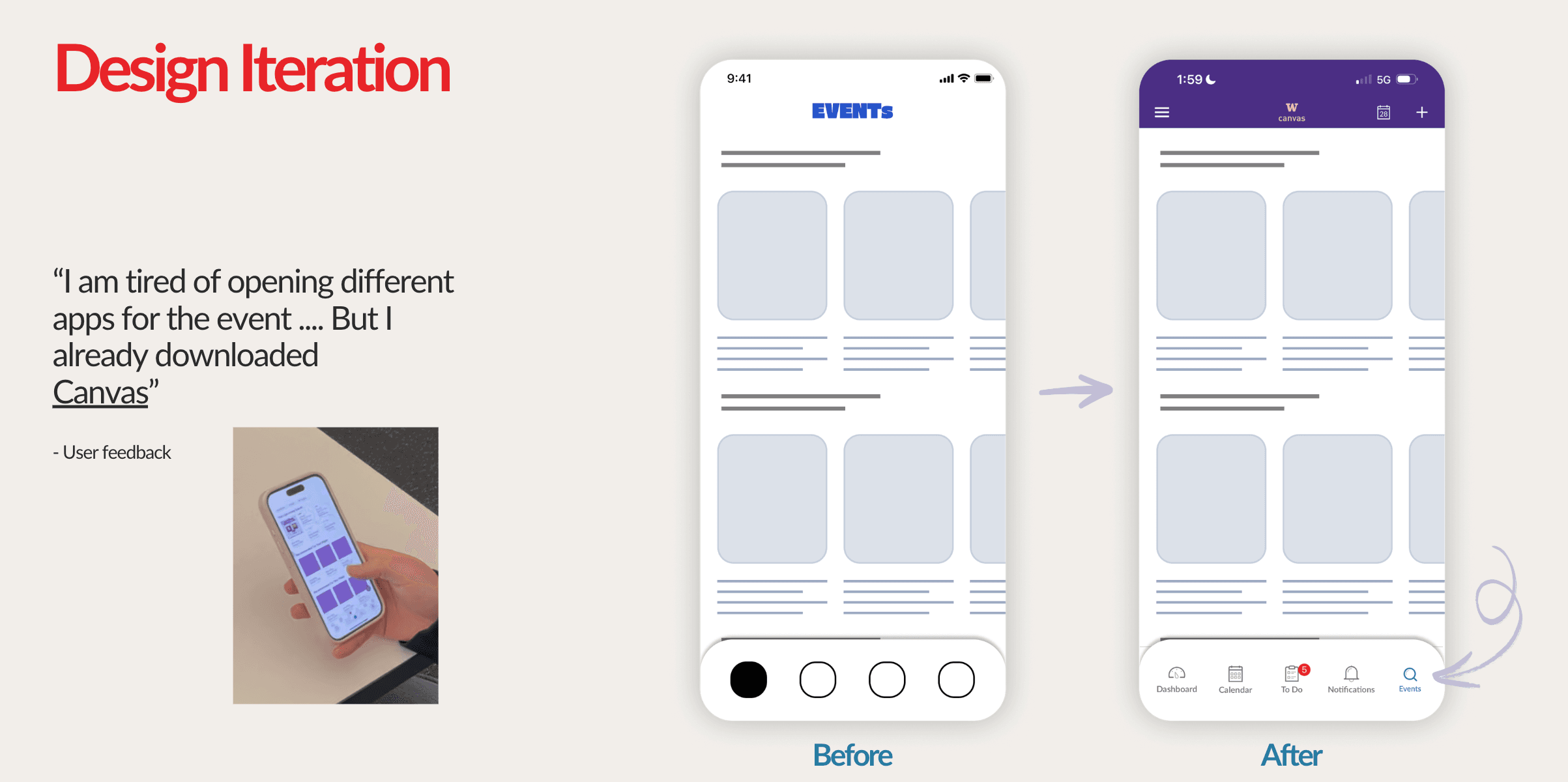
DESIGN ITERATION
User testing revealed friction points we hadn’t anticipated. Each iteration was driven by direct student feedback.
“Students said they were tired of downloading new apps. Canvas was already on their phones.”
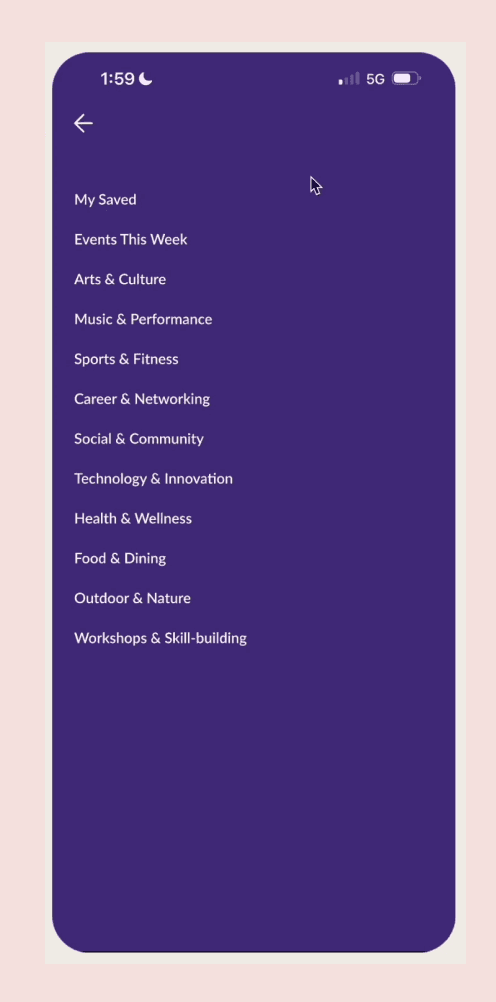
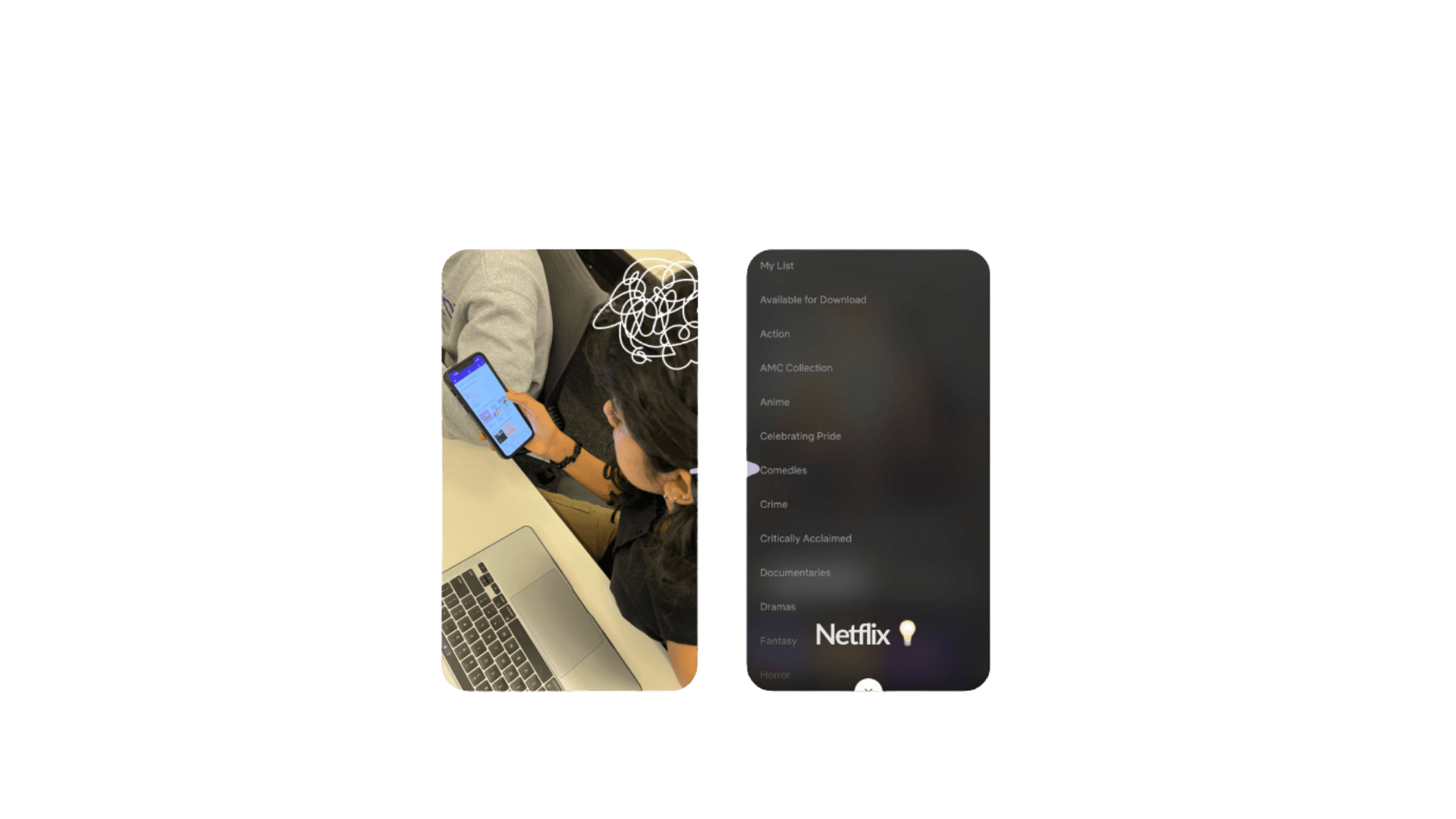
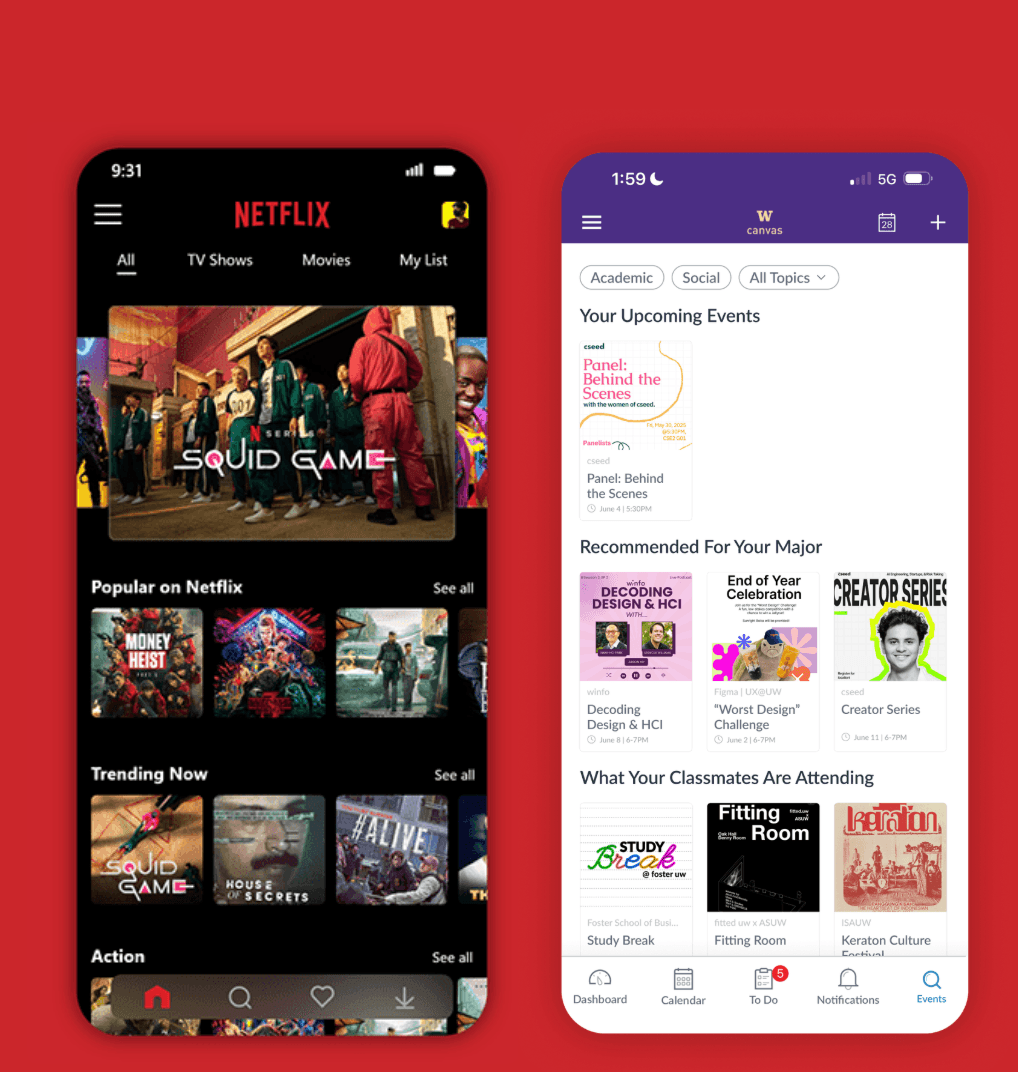
“Too many options overwhelmed users. Netflix’s genre menu inspired a cleaner hierarchy.”
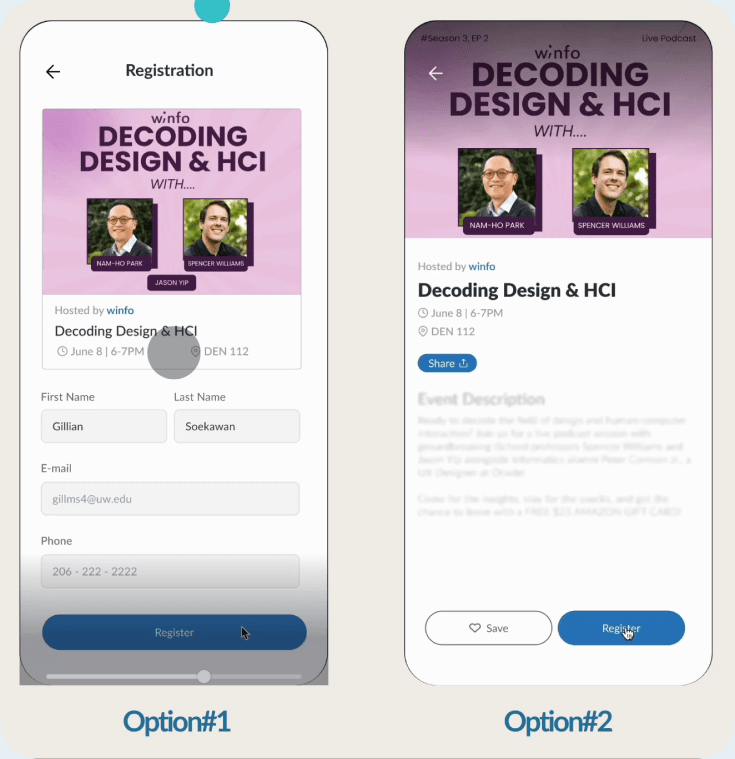
“Students preferred Option #2 — it felt faster and more natural than leaving the context.”
“I am tired of opening different apps for the event… But I already downloaded Canvas.”
— User feedback
“I like the filter feature to customize… But, there are way too many options on the top!”
— User feedback
“Option #1 feels like I have to do a bunch of tedious paperwork, while Option #2 seems much easier and more straightforward.”
— User feedback
 Screen recording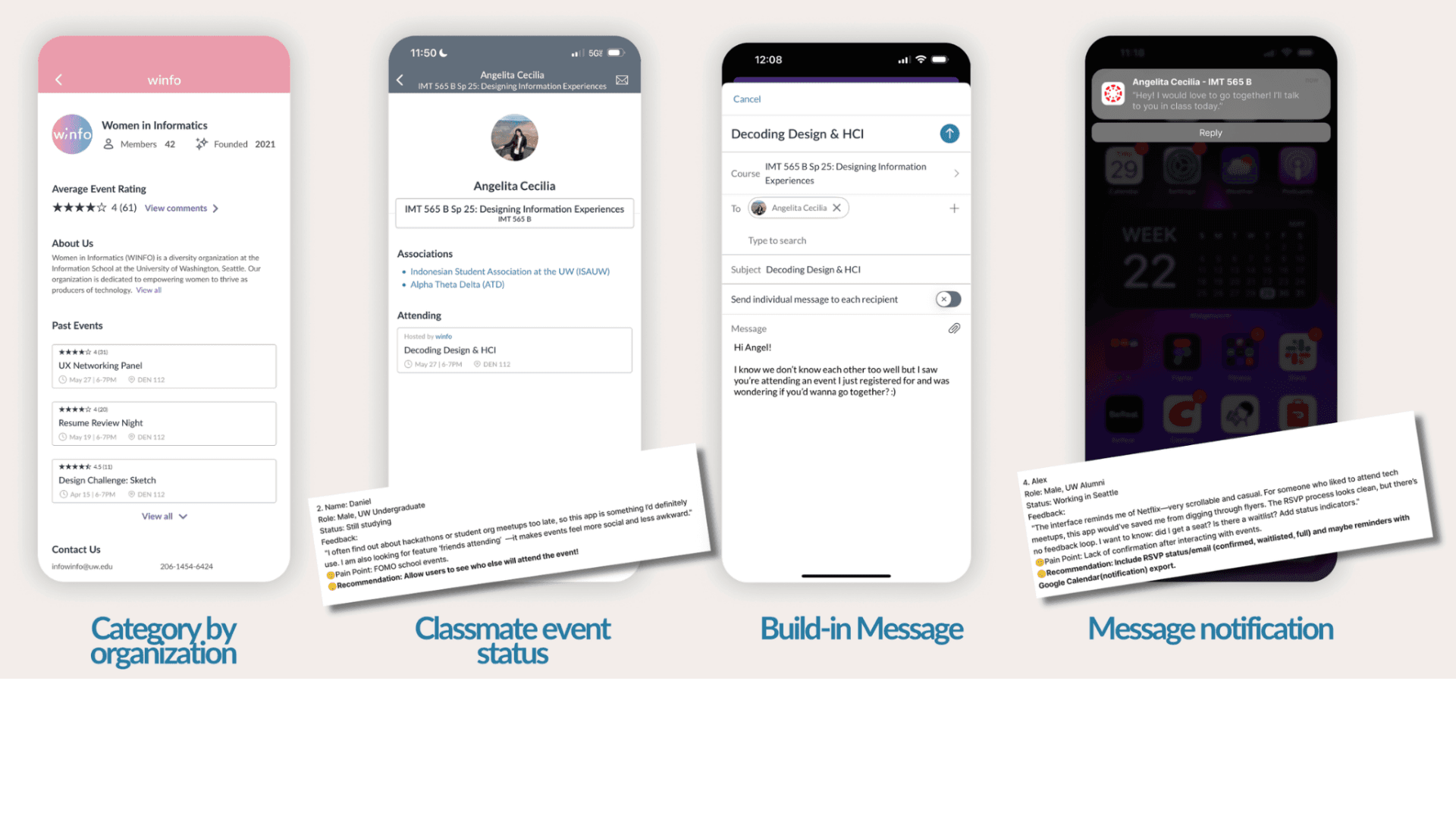
Story Board
THEME
EMOTIONAL DESIGN
Hover each card to see the design response behind each emotion.
“what’s happening this weekend?”
“This looks perfect for me!”
“My classmates are going too”
“I’m in the loop, not left out”
Students want events that bridge real social proximity — seeing who else from their class, dorm, or RSO is going turns a flyer into an invitation.
Feeling tied to people, places, and shared experiences on campus.
Events as small steps toward who I am becoming at UW.
A clear sense of what's happening and why it matters this week.
Discovery that reflects the student I actually am — not a generic feed.
The quiet pride of showing up and being remembered.
Phase 04
Putting it back in front of students, and what they told us.
EVALUATION
What did you think of Canvas Events?
2:14 PM
Integrating into Canvas is so much easier than a new app. Everything in one place!
2:15 PM
Love the Academic/Social filter — helps me find events fast.
2:16 PM
Built-in sign-up is great. No separate websites!
2:17 PM
What would make it better?
3:01 PM
Calendar mode would be amazing — like Ticketmaster for planning ahead.
3:02 PM
Canvas calendar should highlight my events and send reminders!
3:03 PM
Feels like Netflix — scrollable and casual.
3:04 PM
IMPLICATIONS
NEXT STEPS & REFLECTION
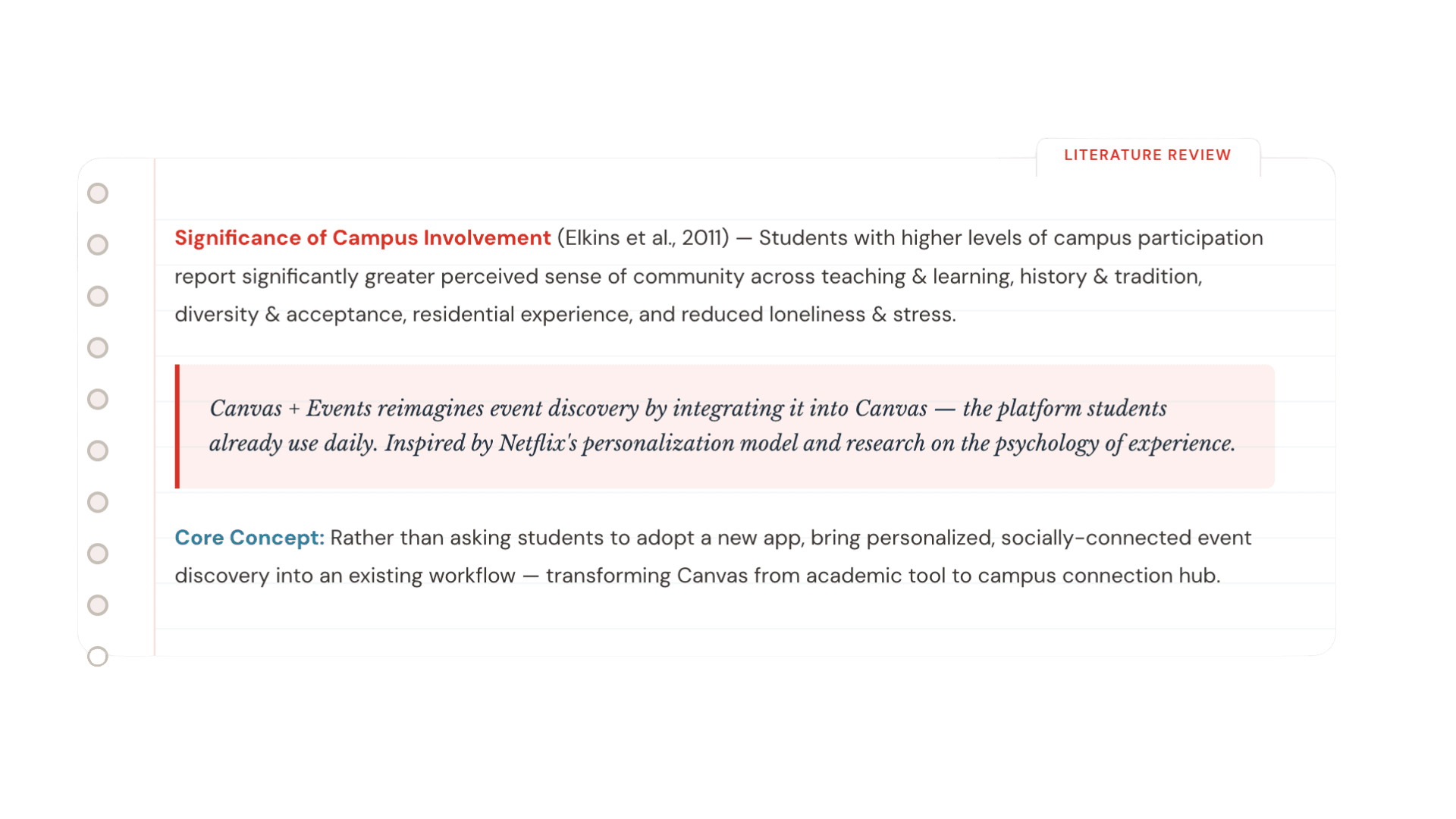
Event discovery doesn't need a new app — it needs integration into tools students already trust.
Campus involvement is linked to belonging, mental health, and academic success.
Designing within an existing ecosystem requires balancing innovation with platform constraints.
Find. Show Up. Belong.
Designed to help students stop searching and start showing up.